

Tools: Articulate Storyline 360, Adobe Photoshop, Google Suite
Overview: When I was first beginning my journey to learn Articulate Storyline 360, I made several different small-scale projects as explorations. This project grew in scope the more I learned, and it turned into something I’m really proud of and think many people will enjoy. I wasn’t originally going to make this a part of my public portfolio but I feel that this project showcases my creativity and personality.
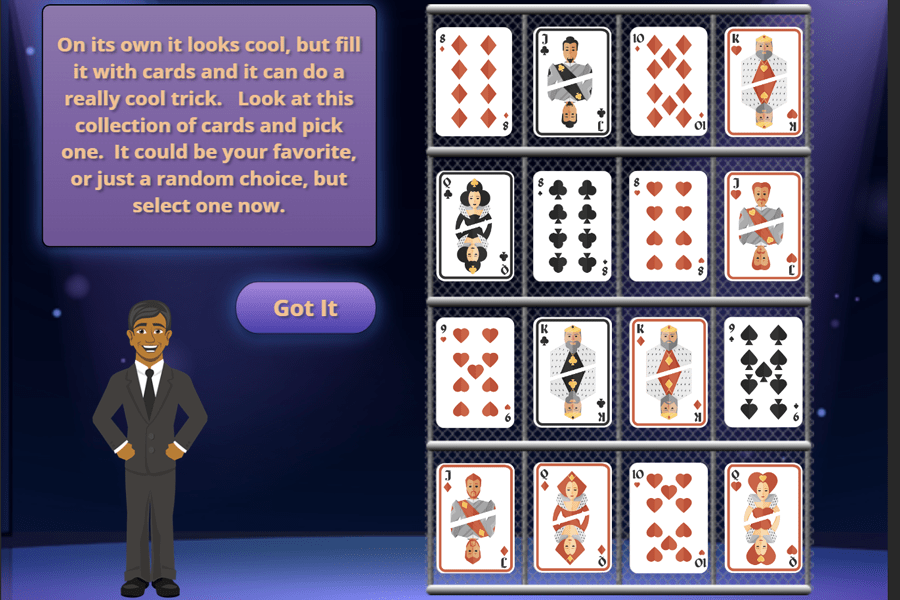
This project consists of three different and fully interactive effects. Participants actively engage and are a part of the experience, not just spectators. At the end of each effect, participants can loop back to the beginning of the show to experience all three effects as many times as they would like.

Process: This project began as a pencil sketch for the “Ring of Fire” effect. I wanted to get the locations of the magician, ring, and text to fit not only a screen but to also mimic how this effect may look on stage. When I began to put the visuals together in photoshop, I chose to go with a purple/blue and yellow/orange color scheme. Not only do these colors pop against one another but the darker blues and purples mimic the feel of a theater with the lights down to add to the immersive nature of the effects. I put together a narrative storyboard in Google Docs to make sure every slide was correctly laid out in a way that would make the effect work. As I was nearing the completion of the effect, I had the idea to add in the other two. I repeated the process of sketching out the general look of the scene and putting together a narrative storyboard.
For all three effects, after the storyboards were complete, I created and curated the visuals in Adobe Photoshop. The final step to creating a prototype was assembling the scenes. Each effect relies on a different scene structure which made the storyboarding step critical. Once the prototype was assembled, I received feedback and refined the project. The final step was adding in sound effects and animations to increase the immersion for the participant.
Features:
Main Menu that participants return to in order to get the full experience and repeat effects.
Three Effects that each give the user a unique and engaging experience.
Reflection:
This project began as a way to further my knowledge of the Articulate software and I feel like I gained a great deal of experience in the entire instructional design process along the way. I was able to hone my skills on triggers, branching pathways, design, states, layers, animations, transitions, motion paths, sound effects, and more. Even though this project does not fit an ID framework from an educational standpoint, I decided to include it in the portfolio because it works as a showcase for so many many important skills in my ID toolbox. From storyboarding, to prototyping and implementing feedback from design and user immersion; this project is something that I am proud of and showcases the level of design, immersion, and creativity I bring to all of my projects.
 Ryan Keough